3D slab analysis and reinforced-concrete design for real projects
Build a structural model online, define loads and materials, and run finite-element analysis with the Luma server-side solver. Review moments, shear, punching, deflection and reinforcement checks in one engineering workspace.
Structural analysis from model to documented design
3D slab modellingFinite-element solverServiceability checksReinforcement design
Structural modelling and analysis
A complete workflow for concrete slabs
Represent the geometry, materials, supports and loading of a slab system, then review analysis and design results in the same project.
3D Slab Geometry
Draw slabs as polygons, set thickness, elevation and concrete properties. Build multi-panel floors visually in minutes.
Columns, Openings, Steps & Folds
Place rectangular or circular columns, cut openings, and model steps, folds and drop panels exactly as they appear on site.
Beams in the Slab
Add edge beams and band beams that work with the plate model - including stiffened edges and drop beams.
Material Properties
Define concrete strength, density and Young's modulus per region. Materials feed directly into analysis and code checks.
Server-Side FEM Solver
The Luma finite-element engine solves the generated plate model on the analysis server and returns results to your project workspace.
Automatic Meshing
Quad and triangle meshes generate automatically and conform to slab edges, openings, columns and piles.
Bending Moments & Strains
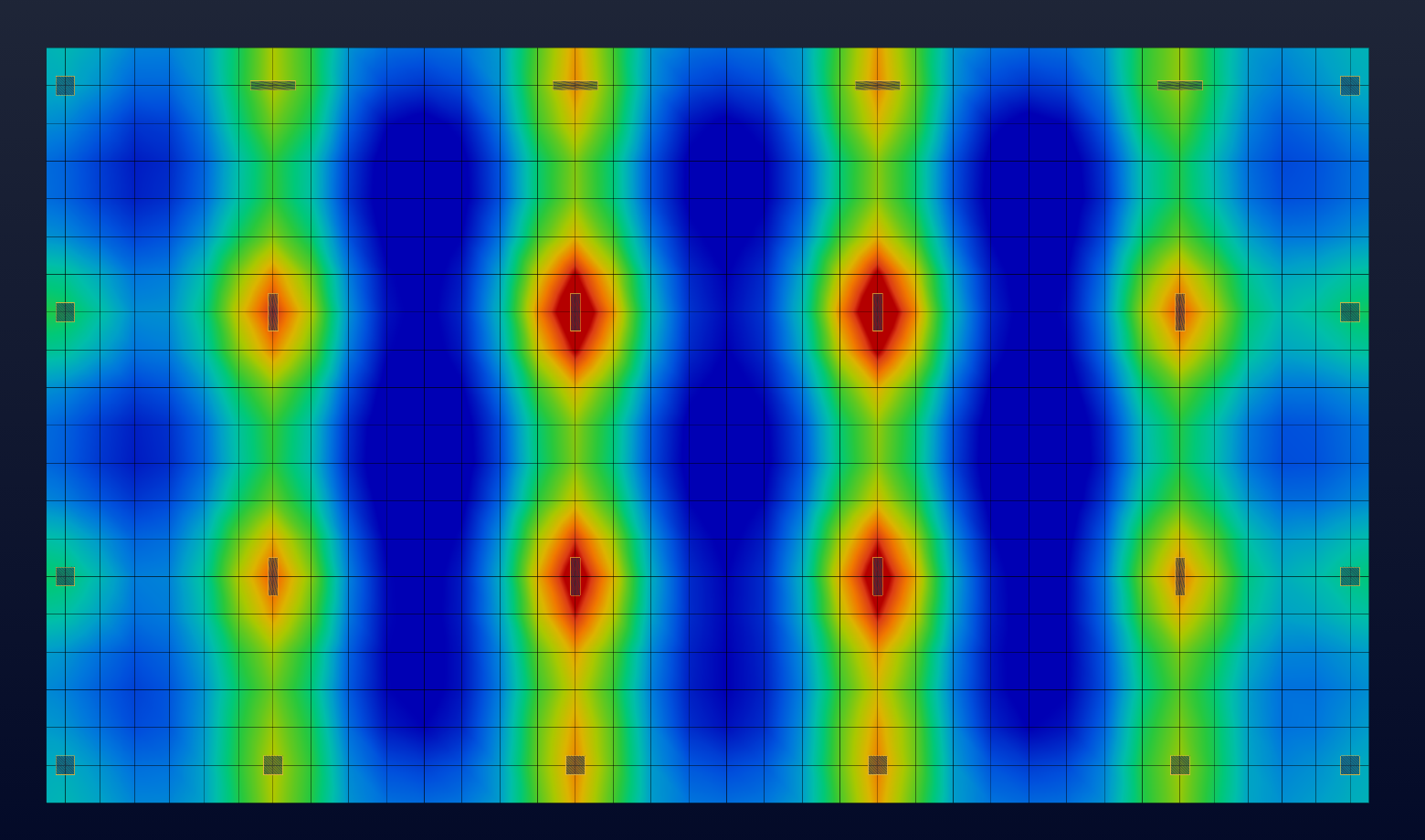
Smooth contour plots of Mx, My, Mxy and direct strains across the slab - spot high-demand zones instantly.
Shear Forces
Review in-plane shear fields and design strips to size shear reinforcement and confirm code compliance.
Punching Shear Checks
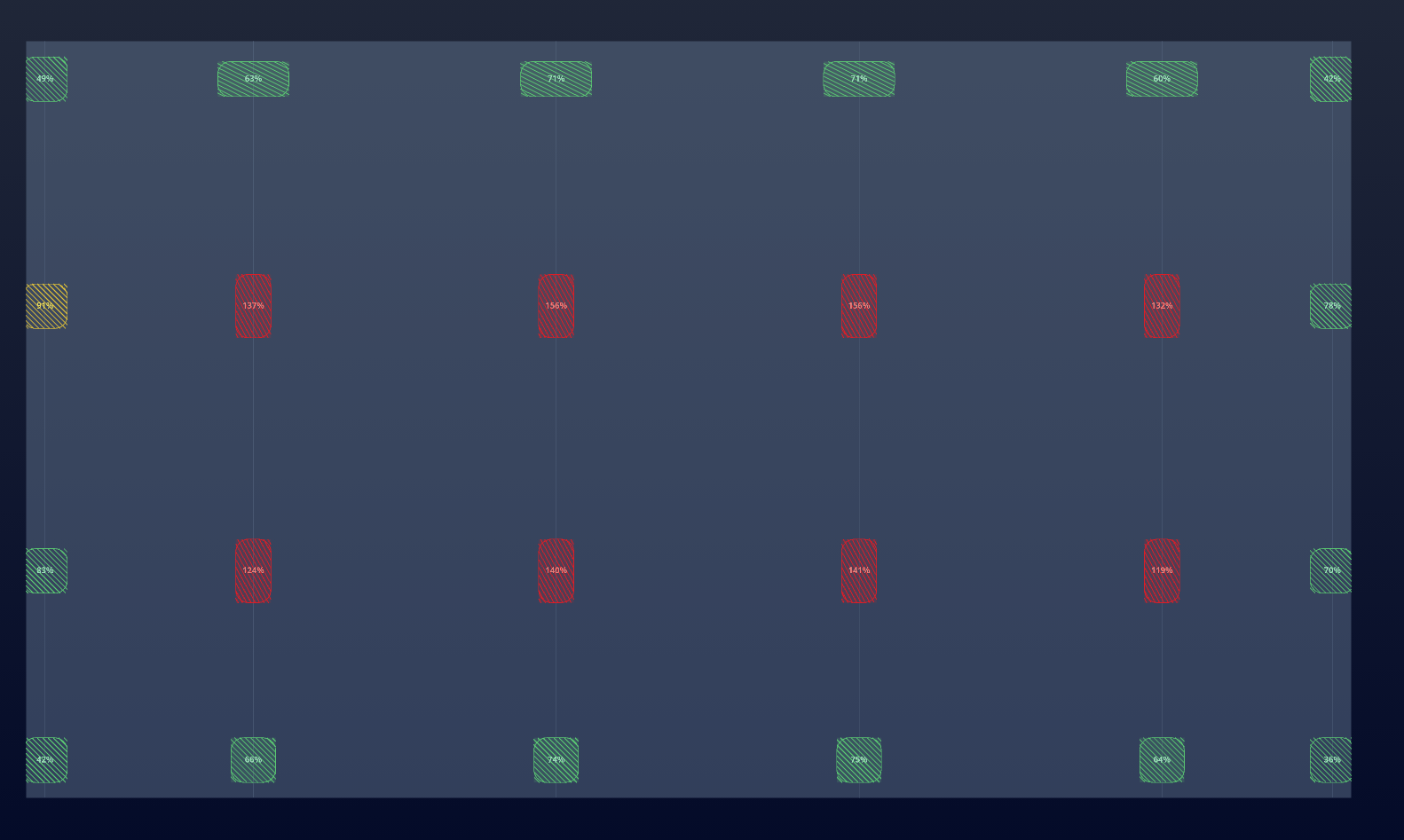
Automated punching-shear utilisation at every column and pile, with clear pass/fail against your chosen code.
Soil Spring Supports
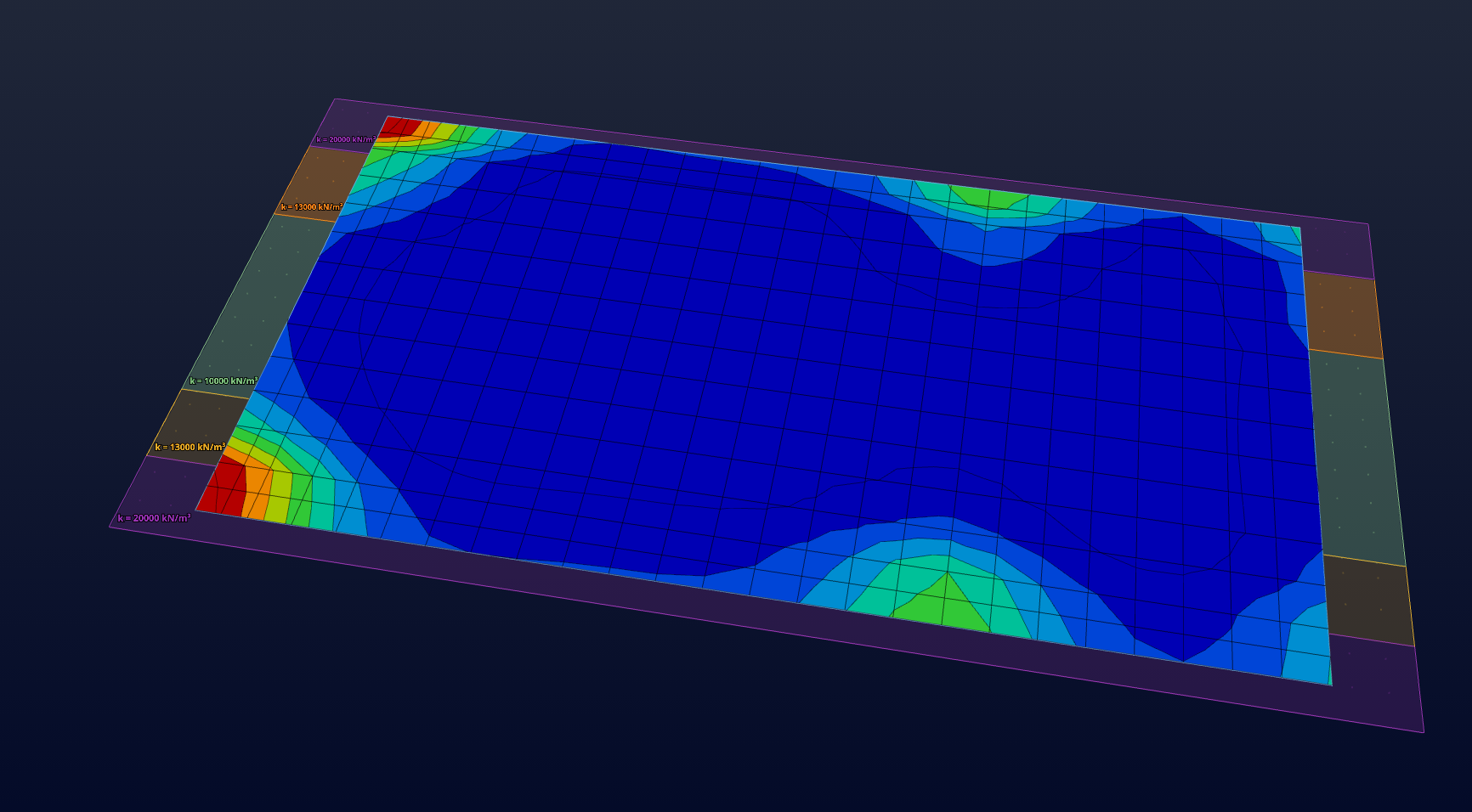
Model soil as distributed springs (Winkler) with a single modulus - ideal for rafts, mats and slabs on grade.
Soil Bearing Pressure
Plot contact pressure under rafts and footings to check bearing capacity and distribution under asymmetric loads.
Short-Term Deflection
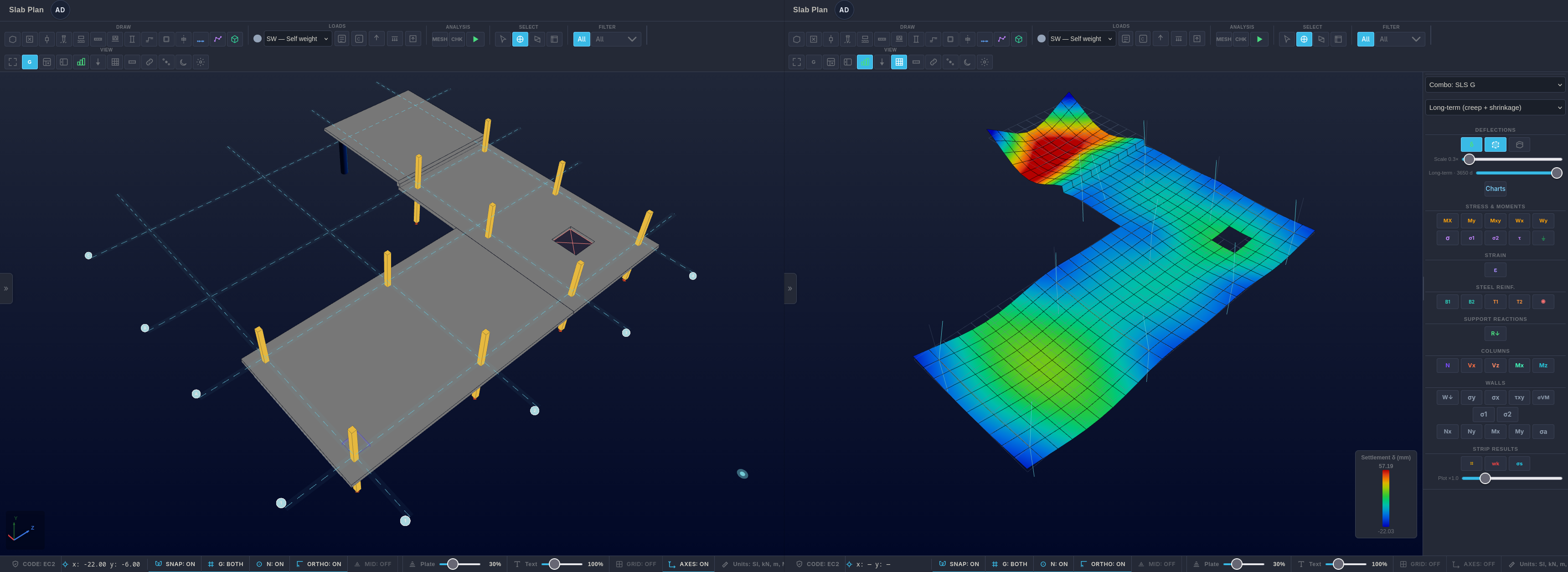
Instantaneous deflection contours and deformed-shape views, so serviceability checks are a click away.
Minimum Reinforcement
Required steel areas for every direction and face, derived from moments and your design-code minimums.
Long-Term & Cracked Deflection
Evaluate cracked-section stiffness, creep effects and staged construction when reviewing long-term slab deflection.
Design Codes
EC2 (EN 1992-1-1) today, with ACI 318 reinforcement design on the way - code-referenced results you can defend.
Finite-element results and design checks
Inspect how the slab responds
Review the calculated response across the model, from element-level demand to serviceability and reinforcement checks.
Bending Moment & Strain Contours
Review Mx, My, Mxy and direct strain distributions across plate elements using node-averaged contour plots. Compare demand across the slab and inspect local changes around supports and openings.
✓Top and bottom moment fields
✓Direct strains ε = σ / E
✓Principal moment directions
Short & Long-Term Deflection
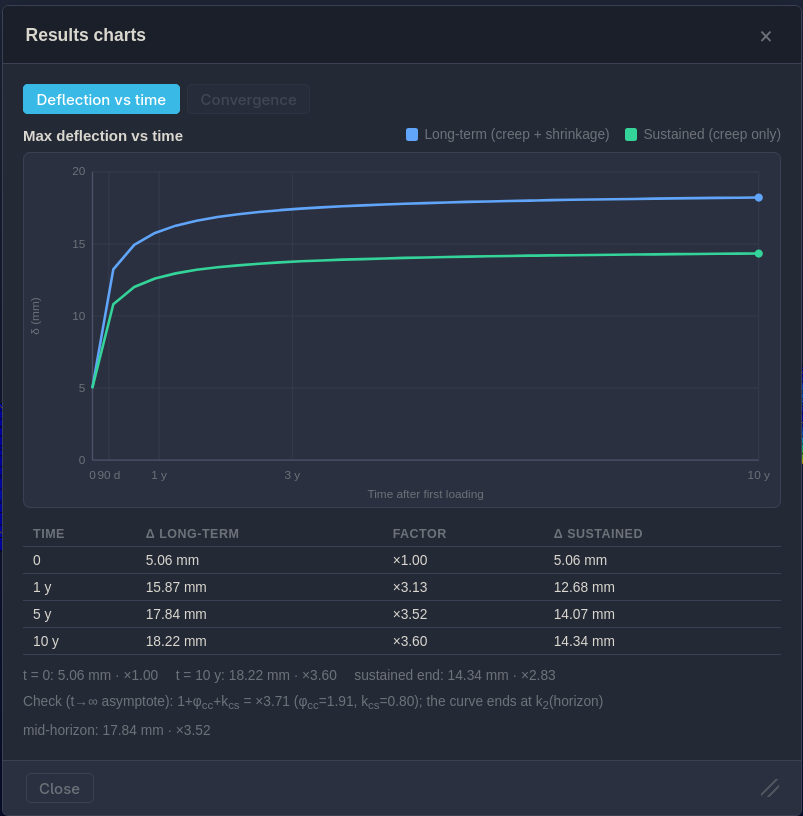
Review instantaneous deflection and the deformed shape, then assess time-dependent response with creep, cracked-section stiffness and staged construction.
✓Deflection vs time curves
✓Nonlinear cracked stiffness
✓Creep factor & staged loading
Punching Shear & Reinforcement
Review punching-shear utilisation at columns and piles with control perimeters shown in 3D. Reinforcement requirements are reported by face and direction against the selected design provisions.
✓Per-column utilisation & pass/fail
✓Top X / Y and bottom X / Y steel
✓Minimum reinforcement checks
Soil Springs & Bearing Pressure
Model slabs on grade and rafts with distributed soil springs. Inspect bearing-pressure distributions under asymmetric and concentrated loading as part of your geotechnical design review.
✓Winkler soil modulus supports
✓Bearing pressure contours
✓Pile-supported options
A connected engineering workflow
Model, analyse, design and document
Keep model inputs, analysis results and design checks together as you develop and review a slab design.
1
Model
Draw the slab, drop in columns, openings, steps and beams, and assign materials. Snap-to-grid keeps it clean.
2
Analyse
Set load cases and combinations, generate the mesh, and submit the model to the server-side FEM solver. Results return to the project for review.
3
Design
Read moments, shear, punching and deflection, then review required reinforcement and code checks per strip.
4
Report
Prepare a calculation set with the project model, loading, results and design-code references for review and project records.
Designed for engineering practice
Analysis and design in one workspace
Luma brings 3D slab modelling, finite-element analysis, concrete design checks and project documentation into a single cloud-based workflow.
Analysis built for slab systems
Model slab panels with columns, openings, beams, drops, steps, piles and soil support in a shared structural model.
Engineering inputs stay explicit
Define geometry, materials, supports, load cases and combinations directly in the model and review them alongside the calculated response.
Model actual floor layouts
Represent openings, beam-plate interfaces, drops, steps and mixed element types rather than reducing every floor to a regular panel.
Results you can interrogate
Inspect moment and deflection contours, punching-shear utilisation, soil pressures and reinforcement summaries in the model.
Cloud project workspace
Sign in to access and manage your saved projects online. The application and analysis service are available through a web browser.
Project to calculation set
Keep model inputs, analysis output and code-referenced checks together for a traceable design review and project record.
A consistent project record
Carry the model through to design review
Geometry, loading, analysis and design results remain part of the same project as you assess the slab.
Model once
Geometry, columns, openings, loads and materials live in a single model - no re-entry between analysis and design.
Analyse in place
Run elastic, cracked and time-dependent analyses on the same model, then compare the resulting response in context.
Document the result
Carry moments, shear, deflection, punching and reinforcement into a clean, code-referenced calculation set.
Plans and pricing
Plans for every practice
Start with a full-feature free trial, then pick the plan that matches your analysis needs. Teams run on floating licences - contact us for pricing.
2-WEEK FREE TRIALEvery new account starts with a two-week full-feature trial - no credit card required. When it ends your projects stay available read-only until you pick a plan.
The solver and design calculations are tested against published slab examples, classical solutions, mesh-refinement checks and hand calculations. See the verification notes for methods and examples.
Benchmark Examples
Slab response is compared with published benchmark examples and classical solutions for moments and deflections.
Mesh Convergence
Mesh-refinement tests track how calculated response changes as the element size is reduced.
Code References
Design checks use code-specific provisions and expose assumptions and calculation details for engineering review.
Get in touch
Discuss Luma with our team
Contact us about the analysis workflow, design provisions or how Luma fits your project requirements.